
TinDog Auto-Swiping Bot
Multi-Window OAuth Popup & Onboarding Automation Bot
Automates detached Chrome startup, Facebook/Facebark OAuth popup switching via window_handles, permission modals, and JS swipe execution.
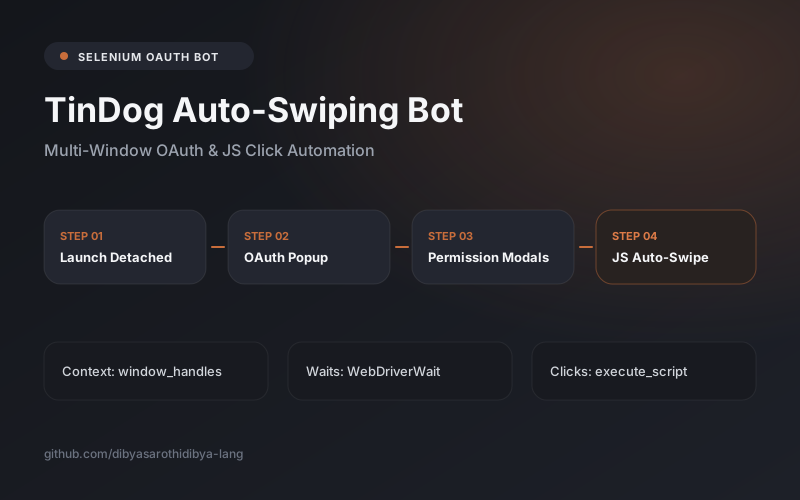
An automated profile swiping bot built with Python and Selenium WebDriver for TinDog. Orchestrates OAuth popup window context switching (driver.window_handles), sequences through location, push notification, and cookie consent dialogs via explicit waits, and triggers swipes cleanly.
OAuth logins open secondary browser popups that stall standard single-window Selenium scripts, while animated card overlays often intercept native WebDriver clicks.
Multi-window focus switching and direct JavaScript event dispatch are essential skills for automating real OAuth web apps.
Engineering Objectives
System Architecture
Detached Chrome WebDriver script managing window handle lifecycles and explicit wait synchronization.
Multi-Window OAuth Switching
Captures base and popup handles dynamically via driver.window_handles, authenticates in popup, and restores primary window focus.
Core & Backend Implementation
- Window-handle orchestration authenticating third-party login popups.
- JavaScript click dispatch bypassing element-click-intercepted animation states.
Client & Interface Layer
- Automated onboarding modal clearance (Location, Notifications, Cookie Consent) and card liking.
Data & Schema Design
Tracks multi-window handles and OAuth cookie tokens across tabs.
Authentication & Security Controls
- No plaintext credentials stored in repository.
Engineering Challenges & Technical Decisions
Key Challenges Solved
Trade-Off Decisions
Testing & Verification Methodology
- Confirmed seamless popup OAuth handoff and consecutive swipe loop.